
Choosing Telemecanique Sensors is not just a matter of matching a part number to a machine. The right device must suit the target, operating distance, mounting space, electrical output, and environment. A sensor beside a washdown line faces different demands from one monitoring a dry packaging conveyor. Small details matter.
McKinsey’s 2017 analysis of predictive maintenance reported potential reductions of 30–50% in machine downtime and 20–40% in machine life-cycle costs. These are broad industry estimates, not guaranteed results from any sensor brand. Still, they show why reliable detection and maintenance planning deserve attention. Schneider Electric’s former CEO Jean-Pascal Tricoire has described the digital shift with the phrase, “Digital is the new electric.” For buyers, that idea becomes practical only when sensor data is dependable and compatible with the control system.
This guide, “10 Tips for Buying Telemecanique Sensors,” focuses on decisions that can be checked before ordering: sensing technology, range, target material, switching frequency, connector type, ingress protection, and replacement availability. Compare the datasheet with real conditions, including vibration, temperature, and the space available for adjustment. A common mistake is choosing by price alone. Another is assuming that similar-looking models perform alike. Specifications can be easy to misread, so verify them with the supplier when the application is unusual. These checks do not remove every risk. They make the purchase more informed.
Define the application before comparing sensor models. Identify the target, its material, size, and movement. A sensor detecting a metal bracket may behave differently from one detecting clear plastic or a liquid surface. Record the required sensing distance and acceptable measurement error. Also note how quickly the target moves; a slow process and a fast conveyor may need different response times. Small details matter.
Tip: Write down the operating conditions. Include ambient temperature, moisture, dust, vibration, and nearby electrical equipment. Check the sensor’s specifications against the actual installation location, not just the clean conditions in a catalog. Allow room for mounting and cable bends. These are easy to miss.
Decide what the sensor must report, such as a simple presence signal or a measured position. Confirm that its output type and supply requirements match the control system. For measurement tasks, define the usable range and resolution separately; a wide range does not automatically mean fine readings. A common commissioning mistake is choosing a sensor by range alone, then discovering that the target surface or mounting angle affects stability. Test with the real target when possible. It may take an extra step, but it can prevent a frustrating redesign. If requirements are still uncertain, document assumptions and verify them before ordering.
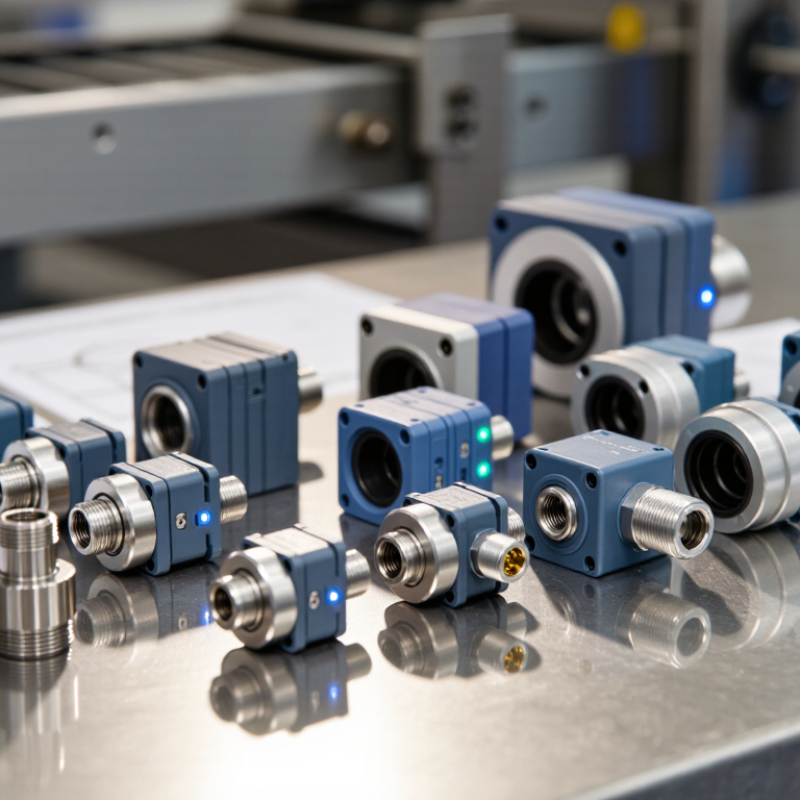
Choose a sensor by examining the target, the sensing distance, and the installation conditions.
An inductive proximity sensor detects metal without physical contact, making it useful near moving steel parts. A capacitive model can detect materials such as plastic, powder, or liquid, but moisture and residue may affect its response. Photoelectric sensors use a light beam; check whether the target’s color, surface finish, or transparency could weaken detection. Ultrasonic sensors measure distance with sound, though soft or sharply angled surfaces may return a weak echo.
Then compare the operating principle with the real task. A sensor that works well on a clean bench may behave differently beside coolant, vibration, or changing temperatures. Check the rated sensing range, switching frequency, output type, and mounting clearance in the technical documentation. Leave a practical margin between the target and the stated range. Small details matter. Test the chosen unit on the actual material and at the intended speed before final installation. I have seen selection decisions lean too heavily on range alone; that is easy to do, and not always wise. A short trial can reveal missed targets, false switching, or awkward alignment before they disrupt a production cycle.
Before ordering an industrial proximity sensor, match its electrical interface to the controller. Check supply voltage, PNP or NPN output, normally open or closed logic, and the load’s current draw. Confirm connector pinout and cable length, too. A sensor that fits the bracket can still fail at the input card. Small mismatch. Big downtime.
Then compare sensing distance with the actual target, not just a catalogue example. Metal type, target size, mounting clearance, and nearby machinery can affect reliable detection. Check repeatability if positioning matters. For the installation site, verify operating temperature, vibration tolerance, and exposure to water, dust, oils, or cleaning agents. IEC 60529 defines IP enclosure ratings; an IP number alone does not confirm resistance to every chemical or washdown condition. Read the manufacturer’s test conditions. They matter.
Deloitte and MAPI’s 2019 Smart Factory Study found that 86% of manufacturers expected smart factory initiatives to drive competitiveness within five years. That investment only helps when components work together. Build a comparison table using the controller manual, sensor datasheet, and site conditions. I would still test one unit on the actual target before bulk ordering; bench checks can miss awkward mounting angles and electrical noise.
| # | Buying tip | What to check | Practical guidance |
|---|---|---|---|
| 1 | Match the sensing technology to the target | Target material, shape, color, and surface | Inductive sensors detect metal targets. Capacitive sensors can detect many non-metallic materials as well as metals. Photoelectric and ultrasonic sensors suit a wider range of targets, but performance depends on the application and sensor design. |
| 2 | Confirm operating voltage and wiring | Supply range, AC or DC, wire count, and connection type | Compare the sensor’s rated supply range with the control system. Many industrial DC sensors use a 10–30 VDC range, but this is not universal; follow the exact datasheet and wiring diagram. |
| 3 | Match the output to the input module | PNP or NPN, normally open or normally closed, and output type | A PNP output sources current; an NPN output sinks current. Check the PLC or controller input requirements, switching logic, and whether a discrete, analog, or communication output is needed. |
| 4 | Allow for the real sensing distance | Rated range, target size, alignment, and installation conditions | Do not assume the nominal range applies to every target. For inductive sensors, target material and dimensions can affect the usable range; allow an operating margin and check the manufacturer’s correction factors. |
| 5 | Check speed and response requirements | Switching frequency, response time, and target travel speed | The sensor must respond quickly enough for the application. Compare its specified response time or maximum switching frequency with the target’s speed and the controller’s input requirements. |
| 6 | Review repeatability and hysteresis | Positioning tolerance and switching-point stability | Repeatability describes how consistently a sensor switches under the stated conditions. Hysteresis is the difference between switching on and switching off; consider both when setting close-position limits. |
| 7 | Choose suitable ingress protection | IP rating and exposure to dust, water, or cleaning | Select an enclosure rating for the actual installation. Under IEC 60529, IP67 includes dust protection and temporary immersion under specified test conditions; it does not by itself establish suitability for every washdown or chemical exposure. |
| 8 | Verify temperature and chemical compatibility | Operating temperature, housing material, cable, and seal materials | Compare the rated temperature range with the equipment’s ambient and process conditions. Check material compatibility with oils, detergents, solvents, or other chemicals present at the installation site. |
| 9 | Confirm mounting and connector details | Thread or body size, flush or non-flush mounting, connector, and pinout | Check available space, mounting clearances, and nearby metal for inductive sensors. A connector size alone does not guarantee a matching pinout, so confirm the connector coding and wiring arrangement. |
| 10 | Assess safety, approvals, and maintenance needs | Required safety function, certifications, diagnostics, and replacement access | For a safety-related application, select equipment appropriate to the documented risk assessment and verify the required safety ratings and system architecture. Also consider availability of documentation, replacement parts, and access for inspection. |
A genuine sensor should have a traceable identity, not just a convincing label. Match its part number, date or lot code, and electrical ratings against the manufacturer’s current documentation. Check that the packaging, terminal layout, and markings agree with the datasheet. Ask for a clear photo of the actual unit, not a catalogue image. Small clues matter.
The OECD and EUIPO estimated that counterfeit goods made up 2.5% of world trade in 2019, in their 2021 report Global Trade in Fakes. This figure covers many product types, not sensors alone, but it shows why documentation deserves scrutiny. Request a chain-of-custody record, an itemized invoice, and written warranty and return terms. Verify the supplier’s business address, service process, and references from industrial customers. A low price is not proof of a problem; it is a reason to ask more questions. I would also keep the supplier’s replies and product photos with the purchase file. It takes a few minutes. One weak point: paperwork can be copied, so compare the received unit with the approved specification before installation.
Buying Industrial Sensors: Compare Total Costs, Support, and Maintenance Needs
A low purchase price can hide expensive installation work. Compare the sensor, cabling, brackets, setup time, and any required interface modules. Check whether its output matches the control system already in place. A small mismatch can mean extra parts and delays. Ask for a written quote that separates equipment costs from commissioning and shipping.
Support matters when a production line stops. Find out when technical help is available, how quickly replacement units ship, and whether staff can access wiring diagrams and setup instructions. Keep those answers in writing. Also check whether the supplier can help identify compatible replacements later. Promises are easy; response times are harder to judge without clear terms.
Maintenance affects the real cost over years. Review the operating environment: dust, vibration, moisture, heat, and frequent cleaning can all influence service life. Ask how often the sensor needs inspection and what signs indicate wear. A quick visual check may be enough, but not always. One overlooked detail is access: a sensor mounted behind a guard may take longer to clean or replace. Estimate downtime as well as labor. If the figures are uncertain, label them as estimates rather than treating them as facts.
Compare total costs, application fit, supplier support, and maintenance needs before choosing a sensor.
The chart groups a 10-item buying checklist: compare purchase and installation costs, check lifecycle expenses, confirm application and environmental fit, review support and documentation, and assess maintenance access, spare parts, and replacement effort. Counts show checklist items per area—not product ratings or market statistics.
880 W 9th Street
Upland, California 91786
884 W 9th Street
Upland, California 91786
886 W 9th Street
Upland, California 91786
884 W 9th Street
Upland, California 91786