
10 Tips for Choosing Mechanical Components

Choosing Mechanical Components is not just a matter of matching dimensions on a drawing. A bearing must handle real loads, temperature swings, vibration, and the occasional imperfect installation. A seal may look interchangeable on a specification sheet, yet fail when exposed to the wrong fluid. Small mismatches can become costly downtime.

The U.S. Department of Energy’s Operations & Maintenance Best Practices guide estimates that predictive maintenance can save 8–12% compared with preventive maintenance, and 30–40% compared with reactive maintenance. These are program-level estimates, not promises for every factory or part. Still, they show why a component’s service life and inspection needs belong in the purchasing decision. Henry Petroski, an engineering design scholar, wrote, “All design is redesign.” That idea fits component selection: teams often learn from wear marks, noisy drives, or a seal that fails earlier than expected.

This guide presents ten practical tips for evaluating materials, load ratings, tolerances, lubrication, operating conditions, supplier documentation, and replacement access. Check the details. A shaft’s stated capacity means little if its alignment is poor. A low purchase price can also hide short service life or difficult maintenance. Even experienced buyers miss things. That deserves reflection, not blame. The best choice balances verified specifications with evidence from the equipment’s actual working environment. When data is incomplete, record the assumptions and seek qualified engineering review before committing.
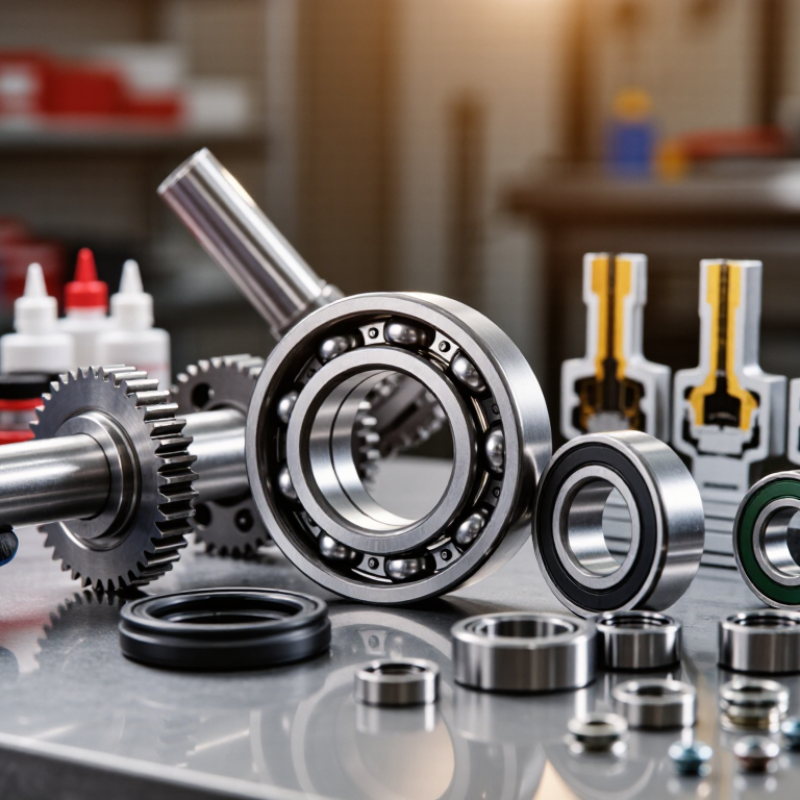
10 Tips for Choosing Mechanical Components

Define the Component's Function and Operating Environment

A mechanical component should be chosen for the job it must perform, not just its size or purchase cost. Write down whether it carries a steady load, guides motion, absorbs impact, seals a gap, or transfers torque. The load’s direction matters. A shaft bearing under radial force may behave differently from one handling substantial axial force. Note operating speed, duty cycle, expected service life, and acceptable movement or noise. Small details change the choice.

Then describe the actual environment. Will the component sit beside a hot motor, face washdown, collect fine dust, or encounter vibration? Record temperature ranges, moisture, chemicals, and nearby contaminants instead of relying on “normal conditions.” A seal that works in a clean room may wear quickly around abrasive grit. So may a lubricant. Check the component’s rated limits against these conditions, including startup and occasional overloads. Leave suitable design margin, but do not treat a larger rating as a substitute for understanding the load. That shortcut can add cost without fixing misalignment or poor lubrication. Even careful estimates can miss a peak load; measurements from the machine often reveal what a drawing cannot. Revisit the assumptions when the operating process changes.

Set Performance Requirements and Design Constraints

A component should be selected against measurable operating conditions, not a vague goal such as “heavy duty.” Record the required load, speed, duty cycle, temperature, vibration, and expected service life. For a conveyor shaft, that might mean a specified radial load, repeated starts, and washdown exposure. Small details matter. Also define the available envelope, mounting points, allowable mass, and maintenance access before choosing a part. A bearing that fits the housing but cannot be lubricated in place creates a predictable headache.

Efficiency and reliability requirements can shape the choice as much as strength. The U.S. Department of Energy’s 2021 United States Industrial and Commercial Motor System Market Assessment Report estimates motor-driven systems use 54% of electricity consumed by U.S. manufacturing. That figure is not a component-selection rule, but it shows why friction and energy losses deserve attention in driven equipment. Set limits for noise, heat, and energy use where relevant, then check them under realistic loads. Leave room for tolerances and misalignment; perfect alignment is rarely permanent. One honest caveat: early specifications are often incomplete. Revisit them after reviewing installation conditions, failure history, and maintenance feedback, rather than treating the first draft as final.

10 Tips for Choosing Mechanical Components - Set Performance Requirements and Design Constraints

Illustrative requirements for a compact powered positioning assembly. Targets are examples, not universal specifications; validate them against the actual application, applicable standards, and component ratings.

Tip Performance Dimension Example Requirement Design Constraint How to Verify
1. Define the load Static and dynamic load A support bracket must carry a 1.5 kN working load without permanent deformation. Use a specified design factor and account for load direction, shock, and mounting conditions; do not size from working load alone. Check material and fastener calculations, then inspect for permanent deformation after a controlled proof-load test.
2. Specify speed and duty Rotational speed and operating cycle A bearing operates at up to 1,200 rpm under a 0.8 kN radial load. Operating speed, load, lubrication, and duty cycle must remain within the selected bearing’s ratings and thermal limits. Compare the operating point with the component ratings; monitor temperature and noise during a representative run.
3. Set accuracy needs Positioning accuracy and repeatability A 300 mm linear axis must position within ±0.10 mm at the specified measurement points. Account for backlash, alignment, thermal expansion, sensor resolution, and load-induced deflection. Measure repeated moves across the full travel with a suitable calibrated displacement instrument.
4. Establish stiffness limits Deflection under load A loaded support shaft must deflect no more than 0.20 mm at its specified working load. Span, support arrangement, material, and applied load all affect deflection; strength alone is not sufficient. Calculate deflection for the actual boundary conditions and confirm it with a loaded measurement if needed.
5. Define the environment Temperature, moisture, and contamination The assembly must operate from −10 °C to 60 °C in an indoor area where occasional dust is present. Check material compatibility, lubricant temperature range, sealing, and the effects of condensation or abrasive particles. Review component environmental limits and test operation at the expected temperature extremes and exposure conditions.
6. Fix the available envelope Installed dimensions and clearance The component must fit within a 120 mm × 80 mm × 60 mm installation space. Reserve space for fasteners, tool access, wiring, adjustment, and moving-part clearance—not just the component body. Check the assembly drawing and verify clearances through the full range of motion.
7. Match materials to the setting Corrosion, wear, and contact compatibility Exposed hardware must tolerate occasional cleaning with a mild water-based detergent. Consider cleaning chemicals, dissimilar-metal contact, wear surfaces, and the required corrosion resistance. Confirm material and finish compatibility with the actual cleaning procedure and inspect representative parts after exposure.
8. Specify interfaces Mounting geometry and fit A mounting plate uses four M8 fasteners on a 60 mm × 40 mm rectangular pattern. Define hole tolerances, thread engagement, datum surfaces, alignment requirements, and access for installation. Check dimensioned drawings and confirm the fit with a mating-part inspection or assembly trial.
9. Plan maintenance Service interval and accessibility Routine inspection should be possible without removing the main drive assembly. Lubrication intervals depend on component type, load, speed, contamination, and operating conditions; use the component’s instructions. Review the maintenance procedure and verify that inspection and service points are accessible in the installed assembly.
10. Define safe failure behavior Failure mode and hazard control A loss of drive power must not allow a vertical load to descend unexpectedly. Do not rely on a drive component alone for personnel protection; assess the full system and applicable safety requirements. Perform a documented risk assessment and test the specified power-loss and fault scenarios using an appropriate safe procedure.

Assess Materials, Tolerances, and System Compatibility

Mechanical components rarely fail because of one specification alone. Material choice, tolerance, and system fit work together. A steel pin may handle repeated loads, while a polymer bushing can reduce noise and avoid metal-on-metal contact. But heat, moisture, chemicals, and lubrication can change how either performs. Check the actual operating conditions, not just the catalogue description. Small details matter.

Tips: Compare material strength, wear resistance, and temperature limits with the application. Review tolerance drawings and identify critical fits, such as a shaft entering a bearing. Consider the full tolerance stack-up; individually acceptable dimensions can still create a loose or binding assembly. Check mounting points, load direction, speed, and nearby components. Measure twice.

Compatibility deserves a physical check where possible. Confirm clearances around fasteners and moving parts, then consider whether installation tools can reach them. A component that fits on paper may be difficult to align after the frame is assembled. It is tempting to choose the tightest tolerance for precision, but that can raise cost or leave too little room for thermal expansion. Revisit assumptions when test results disagree with the drawing. A little uncertainty is useful. Keep a record of dimensions, materials, and test conditions so later changes have a reliable reference.

Compare Reliability, Maintenance Needs, and Supplier Support

10 Tips for Choosing Mechanical Components

Reliability is more than a catalog rating. Compare each component’s load, speed, temperature range, and exposure to dust or moisture with real operating conditions. A bearing may run smoothly on a clean test bench but wear quickly beside a warm, gritty conveyor. Ask for test methods, service-life estimates, and failure data from similar applications. Numbers need context.

Maintenance needs affect the full cost of a component. Check whether it requires regular lubrication, alignment, cleaning, or specialist tools. A seal that takes ten minutes to replace may still cause hours of downtime if access is blocked by a guard. Review the service instructions before purchase, and confirm whether replacement parts are readily available. Small details matter. Maintenance schedules are estimates, not guarantees, and teams sometimes overlook how operating conditions change over time.

Supplier support matters most when a component behaves unexpectedly. Ask how quickly technical questions are answered and what information the supplier needs to investigate a problem. Clear drawings, material specifications, and traceable batch records can make troubleshooting more practical. Compare support commitments alongside price and performance. No checklist predicts every failure; that is easy to forget when planning a purchase. A cautious choice leaves room for monitoring and adjustment after installation.

Check Standards, Total Cost, and Fit Before Selection

Before choosing a mechanical component, check the standard behind its dimensions, materials, and performance ratings. A familiar size does not guarantee compatibility. Compare the relevant specification with the machine’s actual operating conditions, including load, speed, temperature, and exposure to dust or moisture. If a supplier’s data sheet leaves a rating unclear, ask for the test conditions. Small details matter.

Fit is physical. Measure the available space, shaft diameter, mounting pattern, and required clearance. Then check tolerances, alignment, and how the part will be installed or removed. A component may match the drawing yet rub against a guard or leave too little room for a tool. Measurements can be imperfect, especially on older equipment, so verify critical dimensions before ordering.

Price is only one part of total cost. Include installation labor, adapters, lubrication, energy use, replacement intervals, shipping, and possible downtime. A less expensive part may cost more if it needs frequent adjustment or stops a production line. Compare options over a realistic service period, not just at checkout. Even careful checks can miss something; record assumptions and confirm them with the maintenance team before selection.