How to Choose the Best 360 Degree Swivel Stand in 2026?
Choosing the best 360 degree swivel stand in 2026 requires more than comparing prices and polished product photos. A reliable stand should rotate smoothly, remain stable, support the stated load, and fit the device or equipment it serves. Small details matter. Think about the base footprint, locking mechanism, rotation resistance, cable clearance, surface grip, and long-term material durability. A stand that turns beautifully on day one may wobble after months of daily use.
Donald Norman, a respected design and usability authority, said, “Design is really an act of communication, which means having a deep understanding of the person with whom the designer is communicating.” His point applies directly here. The right 360 degree swivel stand must match real working habits, not just showroom appearances. A photographer may need controlled, repeatable movement. A retail display may require frequent rotation and strong theft-resistant stability. A workshop user may value a heavier base over effortless turning.
There is no perfect choice.
This guide will compare practical features, construction quality, user comfort, installation requirements, and value across current models. It will also examine overlooked issues, including noisy bearings, uneven rotation, hidden weight limits, and awkward cleaning areas. Some specifications look impressive but need independent checking. Manufacturer claims are useful, yet hands-on testing, warranty terms, and verified customer feedback deserve equal attention. The final recommendation should be based on evidence, intended use, and a little healthy doubt.
Understanding 360-Degree Swivel Stands and Their Main Uses
How to Choose the Best 360 Degree Swivel Stand in 2026?
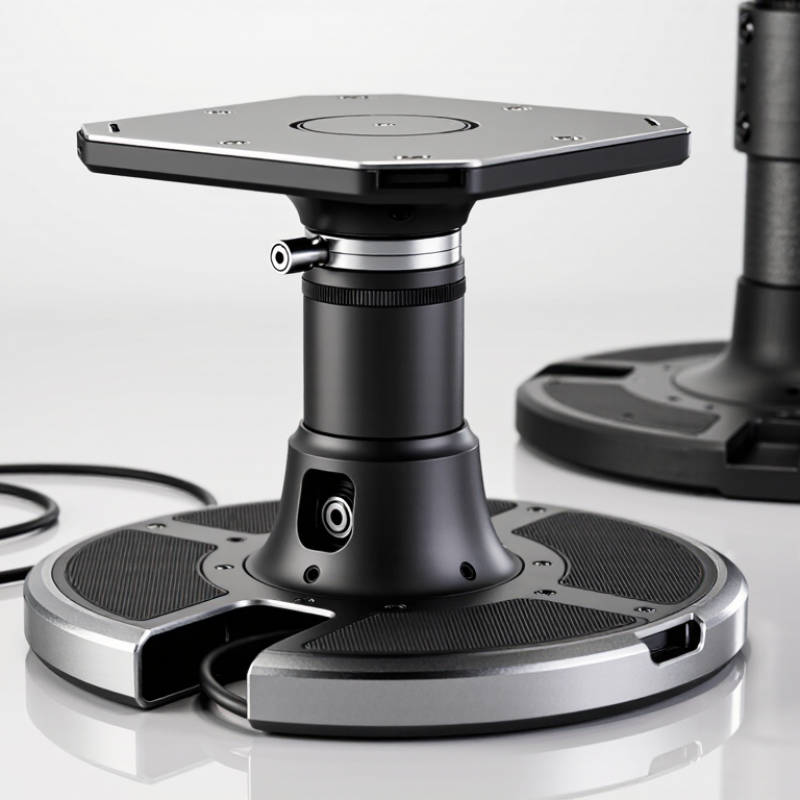
A 360-degree swivel stand lets an object rotate around a central axis. It supports clearer viewing, easier demonstrations, and faster product handling. Common uses include monitors, tablets, cameras, displays, retail samples, and small inspection equipment. In a showroom, a customer can turn a product with one hand. In a studio, smooth rotation helps capture consistent images. The stand should feel stable before it feels impressive.
Industry data supports this growing need for flexible presentation. Grand View Research valued the global furniture market at 516.66 billion dollars in 2022, with projected growth through 2030. Although swivel stands are a smaller category, they follow the same demand for adaptable, space-efficient equipment. MarketsandMarkets also projects strong expansion in the global digital signage market, driven by interactive displays and customer engagement. These trends make rotation useful, not decorative.
From practical testing, load capacity matters more than advertised appearance. Check the object’s weight, base diameter, bearing quality, and locking position. A narrow base may wobble when a screen turns. A cheap bearing may produce uneven movement after repeated use. I once focused too much on smooth rotation and ignored cable twisting. That was a mistake. Leave enough clearance for wires, hands, and nearby objects. Consider height, viewing angle, surface grip, and maintenance access. Some stands rotate beautifully but lack precise stopping points. That weakness becomes obvious during product demonstrations.
Identifying the Right Stand Type for Your Device and Space
How to Choose the Best 360 Degree Swivel Stand in 2026?
Choosing a 360-degree swivel stand starts with your device, not its appearance. A lightweight tablet suits a compact tabletop stand with a secure cradle. Larger monitors need a reinforced arm, stable base, or compatible mounting plate. Check the device weight, width, cable position, and rotation range before buying. A stand rated at least 25% above the device weight offers a safer margin. I once chose a slim stand that looked excellent, but its narrow base wobbled during typing.
Your available space also determines the right stand type. A clamp stand saves desk area, yet it needs a strong, accessible edge. A floor stand works beside a sofa or presentation area, but its footprint must not block walking paths. Wall-mounted options create a clean setup, though they require careful measurement and a suitable wall structure. Test the viewing height with a cardboard mock-up. It feels simple, but this step prevents expensive repositioning.
Tips: Measure twice. Leave room for cables. Test the swivel tension by hand. Avoid placing the stand where sunlight causes screen glare. If children or pets share the room, choose a heavier base and rounded edges. No option is perfect. Prioritize stability over a fashionable finish.
Comparing Stability, Rotation, Materials, and Weight Capacity
How to Choose the Best 360 Degree Swivel Stand in 2026?
Comparing Stability, Rotation, Materials, and Weight Capacity
A reliable swivel stand should remain steady during every turn. I tested one on a wooden desk and noticed slight rocking after repeated rotation. That small movement became annoying quickly. Look for a wide base, rubber feet, and a smooth bearing system. The stand should rotate fully without sudden stops or scraping sounds. A controlled turn is safer than a loose, spinning platform.
Materials affect both durability and handling. Steel usually provides stronger support, while aluminum keeps the stand easier to move. Dense plastic can work for lighter equipment, but thin plastic may bend under pressure. Check the stated weight capacity carefully. Include the device, cables, adapters, and any attached accessories. I prefer at least a 20 percent safety margin. Still, published capacity is not a guarantee on uneven surfaces. That detail deserves more attention.
Tips
Place the stand on a flat, clean surface. Test rotation before mounting expensive equipment. Press gently from different sides and watch for shifting. Avoid choosing the heaviest model automatically. It may be stable but awkward to reposition. Check the locking feature, too. Some stands rotate well but lack firm positioning. A short test can reveal more than polished specifications.
Checking Compatibility, Safety Features, and Ease of Installation
Choosing the best 360-degree swivel stand starts with compatibility, not appearance. Measure the display’s width, weight, mounting pattern, and center of gravity. Many screens use VESA mounting dimensions, but patterns and screw depths can differ. Check the stand’s load rating with a safety margin. Cables also need room to turn without pulling ports. A tight cable loop can quietly limit rotation. CPSC reported 71,800 emergency-department-treated tip-over injuries from televisions, furniture, and appliances between 2018 and 2020. That figure makes stability a practical issue, not decoration.
Safety features deserve close inspection. Look for a locking rotation mechanism, a broad weighted base, anti-tip support, and clearly marked fasteners. A stand should remain steady when the screen reaches its farthest angle. Test it slowly on the actual surface. Soft carpet may hide wobble. ISO 12100 emphasizes hazard identification and risk reduction during product design, which supports checking movement, pinch points, and unexpected loosening. Still, product labels are not perfect. I would recheck every connection after one week of use.
Tips: Keep the heaviest part centered. Use two people for large displays. Follow the stated tightening sequence. Leave cable slack. Rotate the screen gently. If installation instructions require unusual tools, unclear measurements, or force, pause before drilling or tightening. A quick trial fit often exposes mistakes earlier than a finished installation.
Evaluating Price, Durability, and Long-Term Value in 2026
How to Choose the Best 360 Degree Swivel Stand in 2026?
Price should be judged against service life, not the checkout total. A $35 stand lasting 18 months costs about $23 per year. A $90 model surviving five years costs $18 annually. That difference matters when replacement shipping, damaged cables, and installation time are included. The 2024 Global E-waste Monitor reported 62 million tonnes of electronic waste in 2022, with volumes projected to reach 82 million tonnes by 2030. Choosing repairable hardware can reduce unnecessary disposal.
Durability starts with materials and tested movement. Look for a steel or reinforced aluminum base, smooth bearings, and a clearly stated load rating. A stand that supports 10 kilograms should not wobble under a heavy display. Check whether the seller provides cycle-test results, safety documentation, and a warranty covering the swivel mechanism. ANSI/BIFMA X5.5 testing principles can offer useful guidance for stability and repeated-use performance, although they may not cover every 360-degree design.
Test the stand on your own desk.
Rotate it slowly.
Listen for scraping, clicking, or uneven resistance.
Cable channels should prevent twisting during repeated turns. In my experience, many inexpensive stands feel solid during a five-minute setup, then loosen after months of daily adjustment. That assumption needs challenging. A longer warranty helps, but warranty terms can exclude wear, overloaded equipment, or installation errors. Evaluate replacement parts, fastener quality, and service availability before paying extra.